Create a text tile
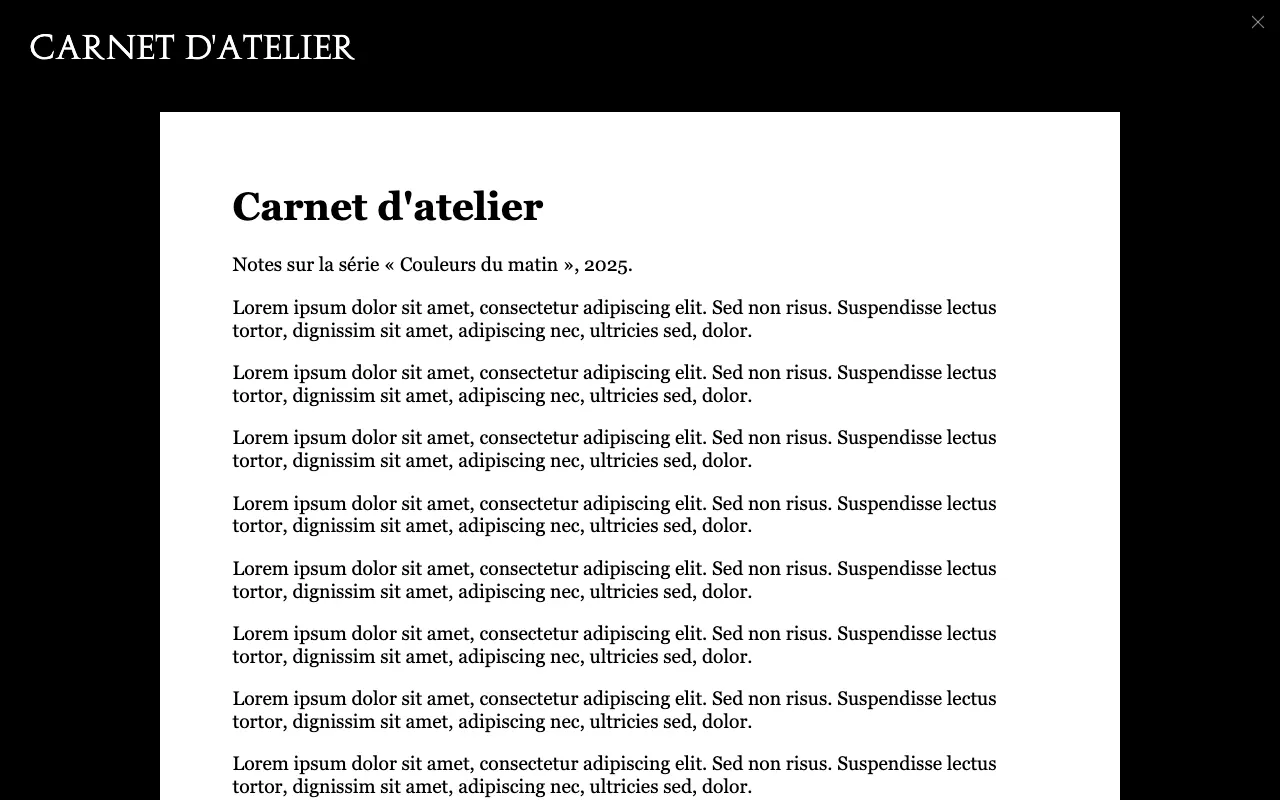
A text tile opens, full screen, either a text you write in the administration area or a PDF document shown page by page: press kit, catalogue, article, score…
Create the tile
- In Content Manager, click
TileText, then Create new entry. - Choose one of two ways:
- a PDF: upload it in
media. The open tile shows the document; - a text: leave
mediaempty and write indescription. The toolbar has headings (the Text menu), bold, italic, underline, links, lists and quotes.
- a PDF: upload it in
tile: open the block and fill in the title, cover image, themes and date (see the tile block).- Save, then Publish.
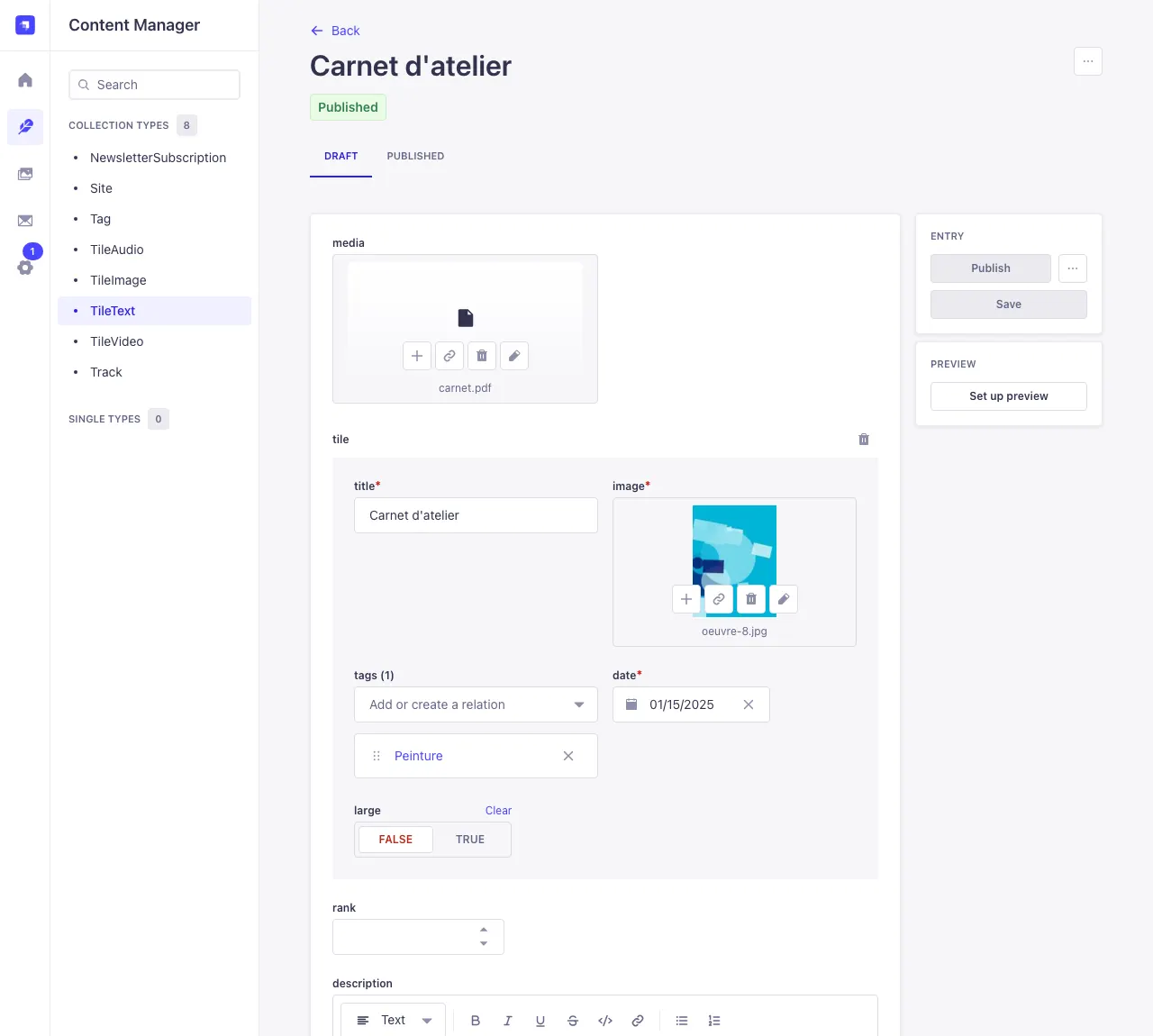
With a PDF, the description isn't shown in the open tile, but it is still useful: your site's search and search engines use it, and so do sharing previews. Write a few sentences about the document.
Tips for PDFs
- Keep files light (under 20 MB): export with a “web” or “screen” image quality.
- A4 or Letter portrait reads well on computers and phones.
- The PDF's content is not indexed by the site's search: put the important words in the title and description.