Newsletter: sign-ups and subscribers list
Your visitors can sign up for your newsletter on the Contact page. You find the list in your area and download it for your mailings.
Turn sign-ups on
- On the administration's home page, click Edit my site.
- Set
newsletter_enabledto TRUE. - Write in
newsletter_descriptionwhat subscribers will receive (and how often). The heading of this part is set withlabel_newsletter. - Save.
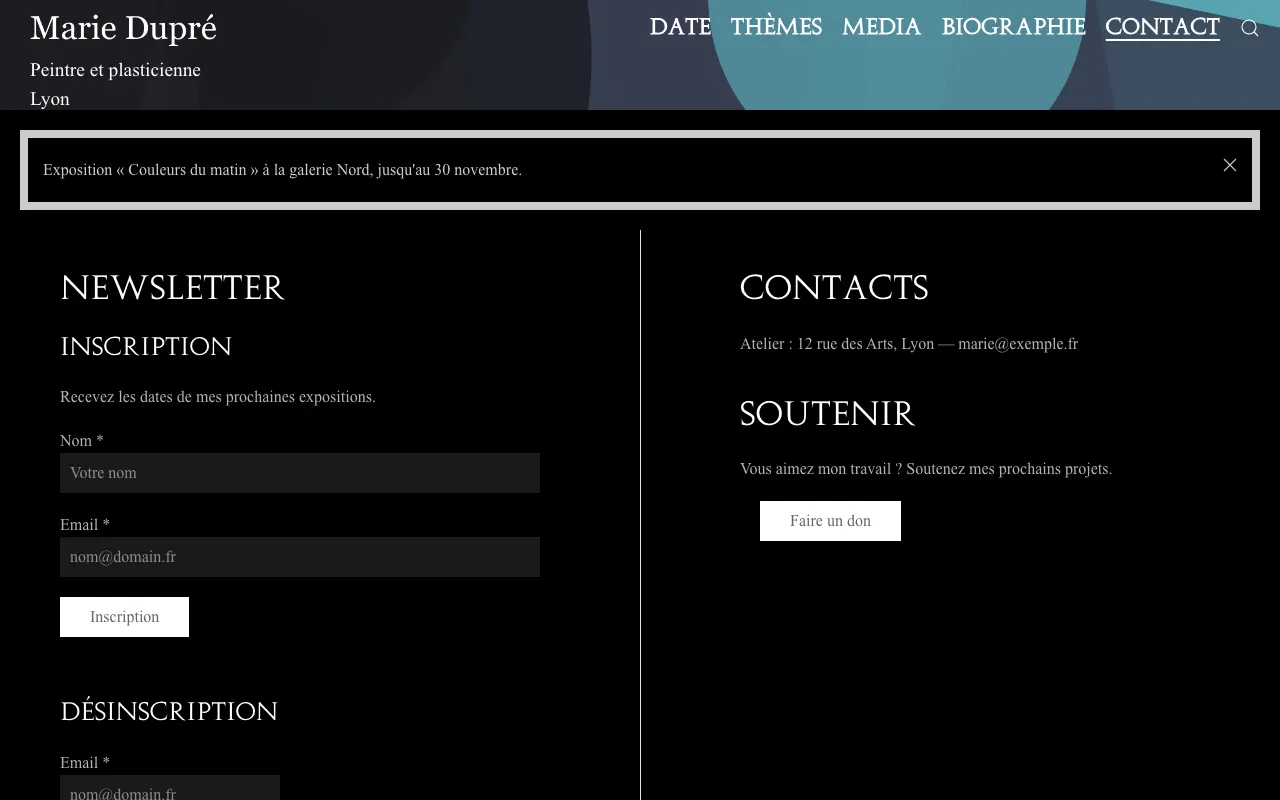
The Contact page then shows a form (name and e-mail) to sign up, and another one to unsubscribe.
See the list
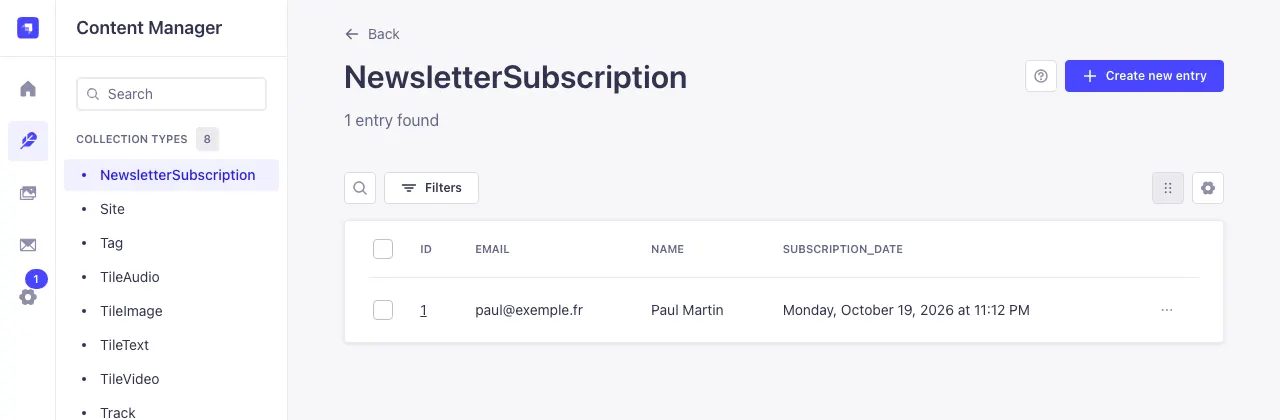
In Content Manager, NewsletterSubscription lists subscribers with their name, e-mail and sign-up date. To remove someone who asks you to: the ⋯ menu at the end of the row, Delete entry.
Download the list
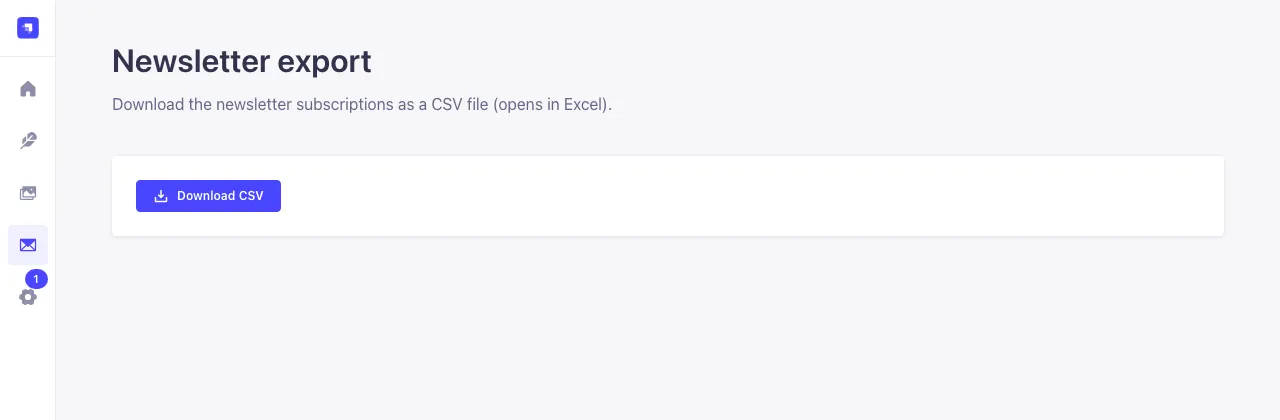
In the left menu, click Newsletter export (the envelope), then Download CSV. The file (name, e-mail, sign-up date) opens in Excel, Numbers or Google Sheets.
Sending your newsletters
Tilefolio collects sign-ups but doesn't send newsletters: import the file into your mailing tool (Brevo, Mailchimp, MailerLite…) or your e-mail, with the addresses in Bcc. Only use these addresses for your newsletter, and remove people who ask you to.