Account and support
Your password, the administration’s language, your files, the people you invite, and how to reach us.
Your profile
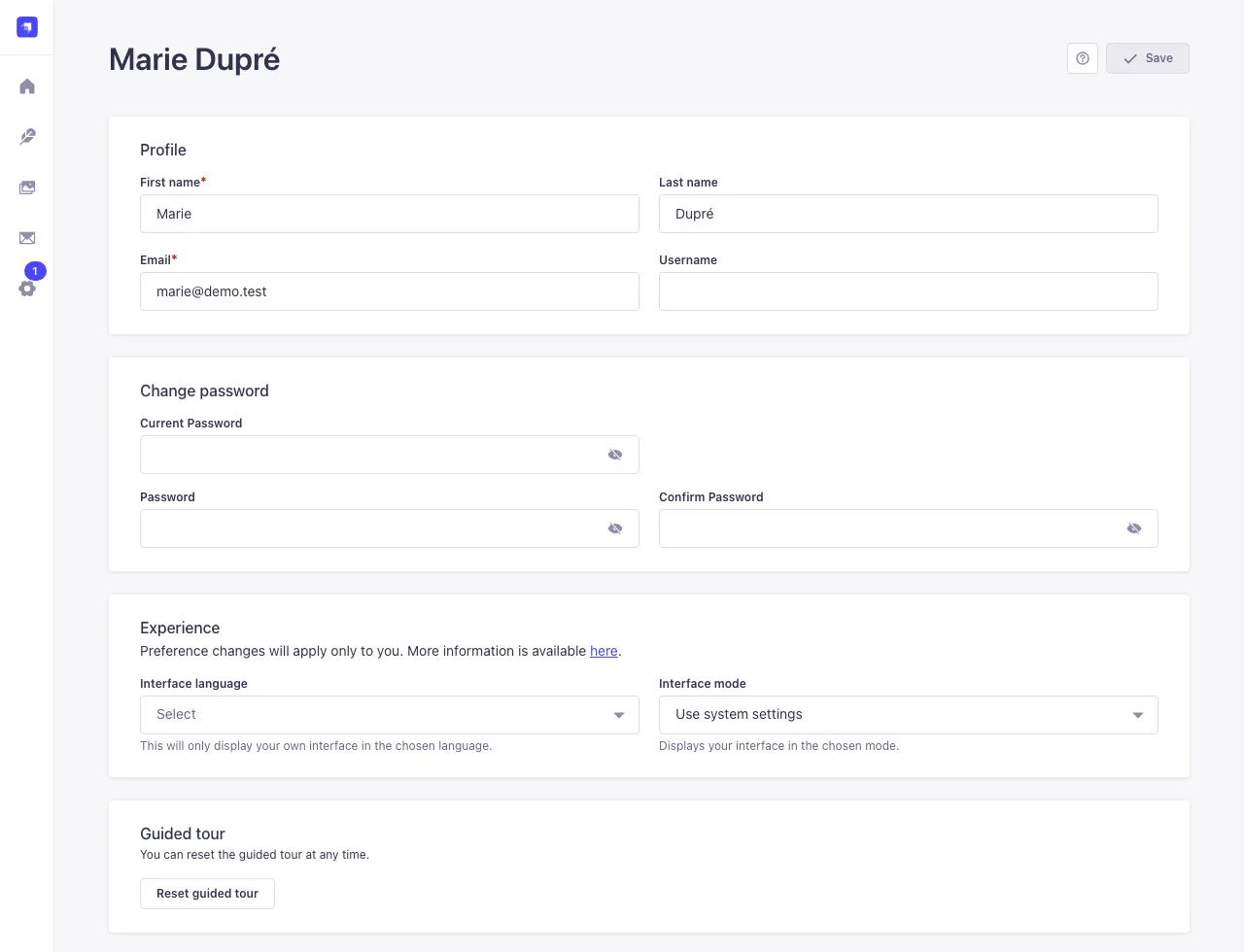
Click your initials at the bottom left, then Profile (or, on the home page, Profile settings). There you can change:
- your first name, last name and e-mail (your login);
- your password: type the current one in Current Password, then the new one twice;
- the interface language: Interface language (English, French, Spanish, Italian, German, Portuguese and others). It only changes the administration area, not your site;
- the administration's light or dark mode (Interface mode).
Then click Save, at the top right.
Forgot your password: on the login page, click Forgot your password? and follow the link you receive by e-mail.
The media library
The Media Library menu gathers every file you uploaded (you and the people you invite to your site, nobody else). You can add some (Add new assets), edit their caption and alternative text, or replace them with a new version without changing the tiles that use them.
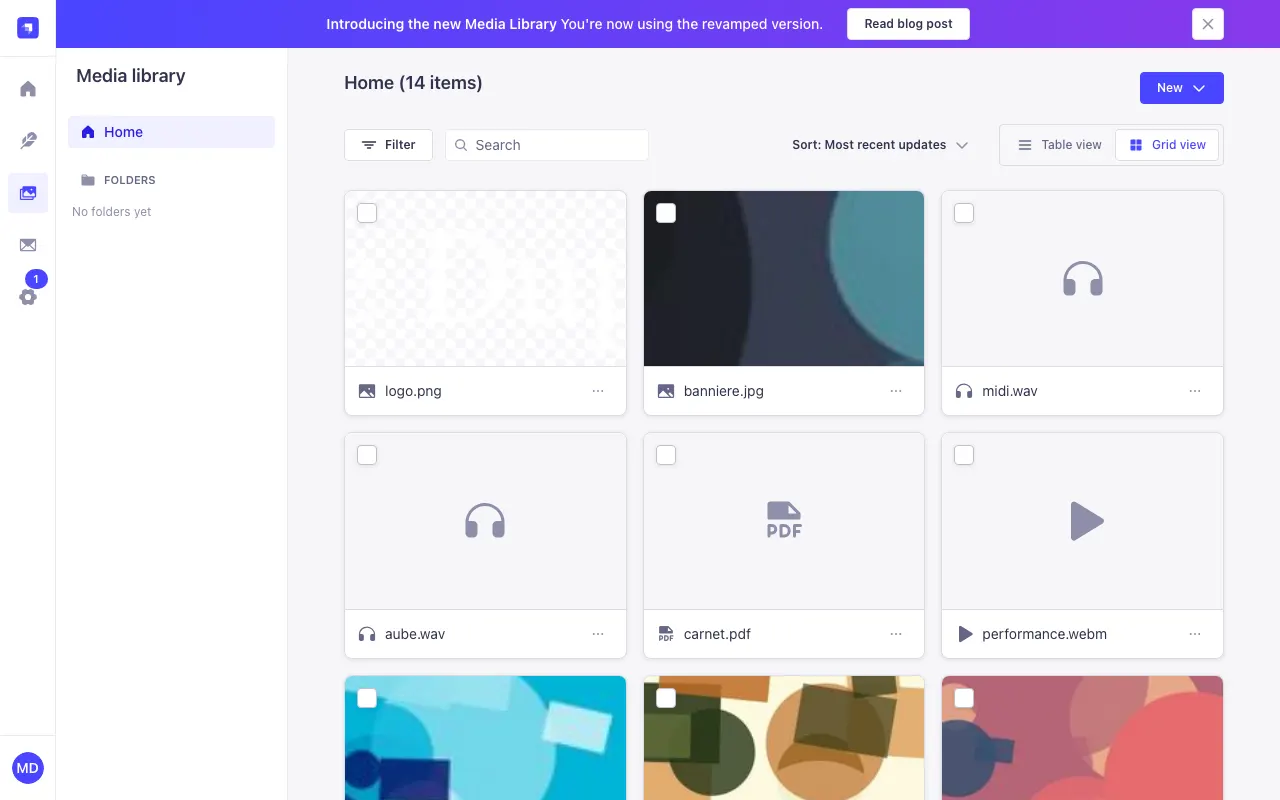
Deleting a file from the media library also removes it from the tiles that use it. Check before deleting.
Invite people
You can invite up to 5 people to edit your site's content with you: an assistant, a gallerist, a friend… Open Site settings: the Team panel, to the right of the form, lists your team.
- Invite someone: give their e-mail and first name (the last name is optional). They receive an e-mail with a link to choose their password; the link is also shown, so you can send it yourself if needed;
- Send again: sends the invitation again until they have chosen their password;
- Remove: they no longer have access to the site and their account is deleted. The files they uploaded stay in the media library, and their tiles on the site.
The people you invite manage the site's tiles, audio tracks, themes and media library. They don't see the site's settings (texts, appearance, menus), its address, the newsletter subscribers or the team.
An account belongs to one site: invite an e-mail address that has no Tilefolio account yet.
Contact us
A question, a problem, a suggestion? Write to contact@tilefolio.com (or simply reply to the welcome e-mail). Give your site's address and, if you can, attach a screenshot: we answer as soon as we can.
Subscription, payment, cancelling: see the frequently asked questions on the home page, or write to us.